 Admin
Admin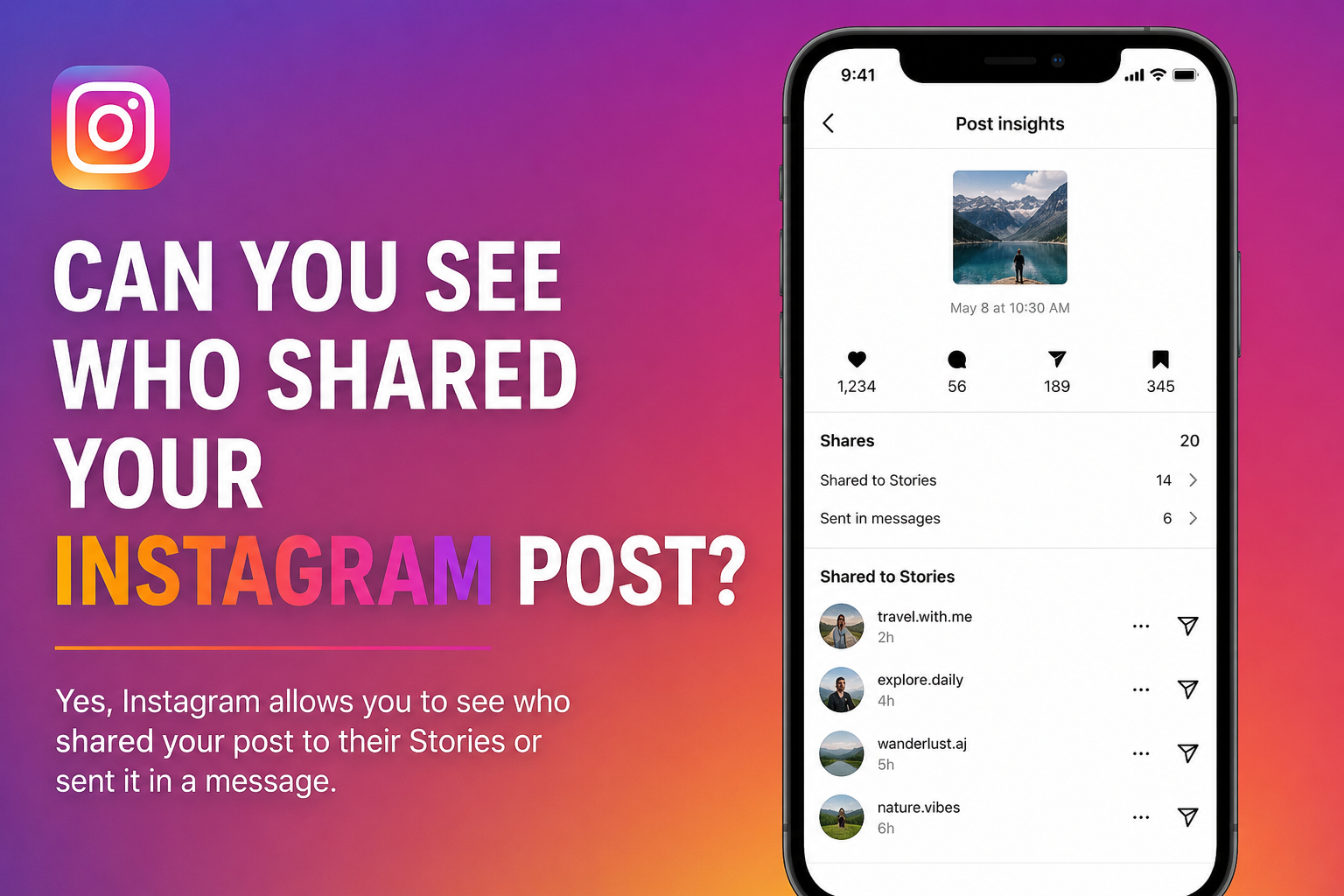
Sharing an Instagram post means sending someone else’s content to another user through direct messages, adding it to an Instagram Story, or sharing the post outside the platform using apps such as WhatsApp, Facebook, or email. The share button, represented by the paper airplane icon below every post, allows users to distribute content they find useful, entertaining, or informative. For creators and businesses, shares are considered one of the strongest engagement signals because they indicate that people value the content enough to recommend it to others. Many users searching can you see who shared your instagram post first need to understand what Instagram considers a share. A share can occur privately through direct messages, publicly through Stories, or externally through other applications. While Instagram records the total number of shares for eligible professional accounts, it treats the identities of users who share posts as private information. This privacy-focused approach helps protect user activity and prevents account owners from tracking exactly who shared their content. Understanding the different types of shares makes it easier to understand why Instagram does not provide a complete list of people who shared your posts.
| Share Type | Description | Visible to Post Owner |
|---|---|---|
| Direct Message Share | Sent privately to another user | No |
| Story Share | Added to someone’s story | Sometimes |
| External Share | Shared to other apps or websites | No |
| Professional Insights Share Count | Total number of shares | Yes |
| User Identity of Sharers | Names of people who shared | No |
Can You See Who Shared Your Instagram Post?
The simple answer to can you see who shared your instagram post is no. Instagram does not allow users to view the names, usernames, or profiles of people who share their posts through direct messages or external applications. Even if your post receives hundreds of shares, the platform keeps the identities of those users private. This rule applies to personal, creator, and business accounts. Professional accounts may see the total number of shares inside Instagram Insights, but they cannot access a list of users who shared the content. Many users search for hidden settings, third-party apps, or secret methods that claim to reveal this information, but Instagram does not provide such a feature. The company prioritizes user privacy and protects private interactions between users. The only situation where you may know someone shared your post is when they publicly add it to their Story and tag your account, which can trigger a notification. However, even in that case, Instagram does not generate a complete report showing everyone who shared the post. Understanding this limitation helps creators focus on engagement metrics such as reach, impressions, comments, and total shares instead of trying to identify individual users.
| Feature | Available on Instagram |
|---|---|
| See total share count | Yes |
| See who shared via DM | No |
| See usernames of sharers | No |
| View external shares | No |
| Receive notification for Story mentions | Yes |
| Use third-party apps to see sharers | No |
| Access share analytics on professional accounts | Limited |
What Instagram Insights Actually Show
Instagram Insights provides valuable analytics for creator and business accounts, but many users misunderstand what these statistics actually reveal. When people search can you see who shared your instagram post, they often expect Instagram Insights to display the names of users who shared their content. In reality, the platform only shows numerical engagement data. Account owners can view metrics such as reach, impressions, likes, comments, saves, profile visits, and the total number of shares a post receives. These numbers help creators understand which content performs well and what type of posts encourage users to engage and share. However, Instagram intentionally separates engagement statistics from personal user identities to maintain privacy across the platform.
For businesses, influencers, and content creators, Insights can still be extremely useful despite these limitations. A high share count often indicates that a post provides value, entertainment, or useful information that followers want to send to others. Comparing share counts across different posts can help creators improve their content strategy and increase engagement. While Insights cannot answer exactly who shared a post, it can reveal which content formats, topics, and posting styles generate the most audience interaction. Understanding these analytics allows users to focus on content performance instead of searching for information that Instagram does not provide.
| Instagram Insight Metric | What It Shows | User Names Visible |
|---|---|---|
| Likes | Total likes received | No |
| Comments | Number of comments | Yes |
| Shares | Total number of shares | No |
| Saves | Number of saves | No |
| Reach | Accounts that viewed the post | No |
| Impressions | Total views of the content | No |
| Profile Visits | Visits to your profile | No |
| Story Mentions | Tagged Story shares | Sometimes |
Why Instagram Keeps Shares Private
Instagram keeps post shares private to protect user privacy and encourage people to interact freely on the platform. When users send a post through direct messages or share it outside Instagram, they expect those actions to remain personal. If Instagram allowed account owners to see exactly who shared their posts, many users might hesitate to send content to friends, family members, or colleagues. This privacy policy helps create a safer environment where people can share posts without worrying that their activity will be tracked. As a result, the answer to can you see who shared your instagram post remains no because Instagram prioritizes user privacy over detailed sharing data.
Another reason Instagram hides sharing identities is to prevent misuse of engagement information. Public access to share data could lead to unwanted contact, spam messages, or pressure from content creators trying to identify who shared their posts. By only displaying the total share count to professional accounts, Instagram provides useful performance insights while protecting the personal activities of users. This approach is similar to how the platform handles saved posts, where creators can see the total number of saves but cannot view the users who saved the content. These privacy measures allow people to interact with posts naturally while still giving creators enough analytics to improve their content strategies.
| Privacy Feature | Purpose | Visible to Post Owner |
|---|---|---|
| Direct Message Shares | Protect private conversations | No |
| External App Shares | Maintain user privacy | No |
| Saved Posts | Keep user activity private | No |
| Share Count | Measure engagement | Yes |
| Story Mentions | Public sharing activity | Sometimes |
| User Identity of Sharers | Prevent tracking and spam | No |
| Professional Insights | Provide performance data | Yes |
Can Business and Creator Accounts See Shares?
Many Instagram users believe that switching to a professional account unlocks the ability to identify people who share their posts, but this is not true. Business and creator accounts receive access to Instagram Insights, which provides additional analytics and engagement data. These accounts can view the total number of shares a post receives, making it easier to measure how widely content is being distributed. However, even professional accounts cannot see the names, usernames, or profiles of users who shared the post. This limitation often surprises creators who search can you see who shared your instagram post because they assume advanced analytics include detailed sharing information.
Professional accounts still benefit from share data because it helps evaluate content performance. A high number of shares often indicates that a post is useful, entertaining, or valuable enough for followers to send to others. Businesses can use these insights to identify successful content types, improve marketing strategies, and increase audience engagement. While creators cannot track individual users who shared their content, they can monitor overall trends and compare the performance of different posts. This information allows brands and influencers to create more shareable content without compromising the privacy of their audience.
| Account Type | Can See Share Count | Can See Who Shared |
|---|---|---|
| Personal Account | No | No |
| Creator Account | Yes | No |
| Business Account | Yes | No |
| Professional Dashboard Access | Yes | No |
| Story Mentions with Tags | Sometimes | Sometimes |
| Direct Message Shares | No | No |
| External Shares | No | No |
When Can You Know Someone Shared Your Post?
Although Instagram does not reveal the identities of people who share posts privately, there are a few situations where you may realize that someone has shared your content. The most common example occurs when a user adds your post to their Instagram Story and mentions or tags your account. In such cases, Instagram may send a notification informing you that your content was shared publicly. This can make some users believe they have discovered the answer to can you see who shared your instagram post, but these notifications only apply to specific public interactions and do not represent every share that occurs on the platform.
Another situation happens when followers directly tell you they shared your content or when engagement increases immediately after a post receives multiple shares. A sudden rise in profile visits, comments, followers, or likes may indicate that users are sharing your content privately through direct messages or external apps. However, Instagram still does not provide a complete record of these actions. Most shares remain hidden because they happen in private conversations, group chats, or messaging applications outside Instagram. As a result, creators can identify certain public shares but cannot track every individual who distributes their content.
| Sharing Situation | Can You Know Who Shared? |
|---|---|
| Story share with mention | Yes |
| Story share without mention | No |
| Direct message share | No |
| Group chat share | No |
| WhatsApp share | No |
| Facebook Messenger share | No |
| User tells you directly | Yes |
| Increase in engagement | Only an indication |
Common Myths About Instagram Post Shares
Many myths continue to circulate online about Instagram post sharing, causing confusion among users who want to know can you see who shared your instagram post. One of the most common misconceptions is that hidden settings inside Instagram allow users to reveal the names of people who shared their posts. In reality, Instagram has never introduced such a feature. Another widespread myth claims that switching to a business account unlocks complete sharing information. While professional accounts can access share counts through Insights, they still cannot view the identities of users who shared the content. These misunderstandings often spread through social media videos, online forums, and misleading tutorials.
Another popular myth involves third-party applications that promise to show who shared your Instagram posts. These apps frequently request account access and claim to provide hidden analytics that Instagram does not offer. However, Instagram’s API does not give external apps permission to access private sharing information. As a result, these services cannot reveal the names of people who shared your content. In some cases, they may even pose security risks by collecting personal information or login credentials. Understanding these myths helps users avoid false expectations and focus on the engagement data that Instagram officially provides.
| Myth | Reality |
|---|---|
| Instagram shows who shared your post | False |
| Business accounts can see all sharers | False |
| Secret settings reveal sharers | False |
| Third-party apps show sharing users | False |
| Story mentions may identify a sharer | True |
| Instagram only shows total shares | True |
| Professional accounts get extra analytics | True |
| Private shares remain hidden | True |
Tips to Increase Instagram Shares Naturally
Increasing shares on Instagram requires creating content that people genuinely want to send to friends, family members, and followers. Since the answer to can you see who shared your instagram post is no, creators should focus on encouraging more shares instead of trying to identify individual users. Educational posts, practical tips, step-by-step guides, and relatable content often receive the highest number of shares because they provide value to the audience. Infographics, carousel posts, short videos, and engaging captions can also motivate followers to share content through direct messages or Stories. The more useful or entertaining your content becomes, the greater the chances that users will distribute it to others.
Consistency also plays a major role in improving share rates. Posting regularly, understanding audience interests, and using relevant hashtags can increase visibility and encourage engagement. Asking questions, sharing industry insights, and discussing trending topics often lead to higher interaction levels. Creators and businesses should monitor Instagram Insights to identify which posts receive the most shares and use that information to improve future content strategies. Although Instagram keeps user identities private, higher share counts usually indicate stronger audience interest and broader content reach.
Tips to Increase Shares
- Create educational and informative posts.
- Use carousel posts and short videos.
- Write engaging captions.
- Discuss trending topics.
- Ask questions to encourage interaction.
- Post consistently.
- Share practical tips and solutions.
- Analyze high-performing content using Insights.
| Content Type | Share Potential |
|---|---|
| Educational Posts | High |
| Carousel Posts | High |
| Reels | High |
| Inspirational Quotes | Medium |
| Product Promotions | Medium |
| Memes | Medium |
| News Updates | High |
| Personal Photos | Low to Medium |
The Future of Instagram Share Analytics
Instagram continues to introduce new analytics features for creators and businesses, but privacy remains one of the platform’s highest priorities. Many users still ask can you see who shared your instagram post, hoping that future updates will provide more detailed information. While Instagram regularly improves its Insights dashboard by adding new engagement metrics, there is currently no indication that the platform plans to reveal the identities of users who share posts privately. Instead, Instagram focuses on helping creators understand overall content performance through metrics such as reach, impressions, shares, saves, and audience activity. This approach allows creators to improve their content strategies while maintaining user trust and privacy.
As social media platforms evolve, analytics tools may become more advanced, offering deeper insights into audience behavior without exposing personal information. Future updates could provide additional data about sharing trends, audience demographics, or content performance categories rather than individual user identities. Businesses and creators increasingly rely on engagement data to guide marketing decisions, and Instagram will likely continue expanding these analytical tools. However, private messages, external shares, and personal interactions are expected to remain protected. The platform’s current direction suggests that creators will receive better performance insights while users retain control over their private sharing activities.
| Future Possibility | Likelihood |
|---|---|
| More engagement analytics | High |
| Improved Insights dashboard | High |
| Better content performance data | High |
| Audience behavior reports | Medium |
| Detailed sharing trends | Medium |
| Names of people who shared posts | Very Low |
| Public list of sharers | Very Low |
| Stronger privacy protections | High |
Conclusion
The answer to can you see who shared your instagram post remains straightforward: Instagram does not allow users to view the identities of people who share their posts. Personal, creator, and business accounts can only access limited sharing information, while professional accounts may view the total share count through Instagram Insights. Public Story mentions may occasionally reveal a sharer, but most shares occur privately through direct messages or external applications. Instead of focusing on who shared a post, creators should analyze engagement metrics and create valuable content that encourages more sharing and audience interaction.
FAQs
Can I see who shared my Instagram post to a direct message?
No, Instagram does not show who shares your post through direct messages.
Do business accounts show who shared a post?
No, business accounts can only view the total number of shares.
Can third-party apps reveal who shared my post?
No, third-party apps cannot access private sharing information.
Will Instagram add this feature in the future?
There is currently no official indication that Instagram will reveal the identities of people who share posts.
Visit for More information : Multiple Magazines